Roles and permissions
Define user roles per app, control tables, records, fields, and actions, understand the additive union rule, and simulate access before saving.
Every read and write in an app passes through the same compiled permission matrix, whether it comes from the Runtime grid, an Interface page, the REST API, the CLI, or an MCP agent. There is no special Runtime admin mode and no credential that skips these rules.
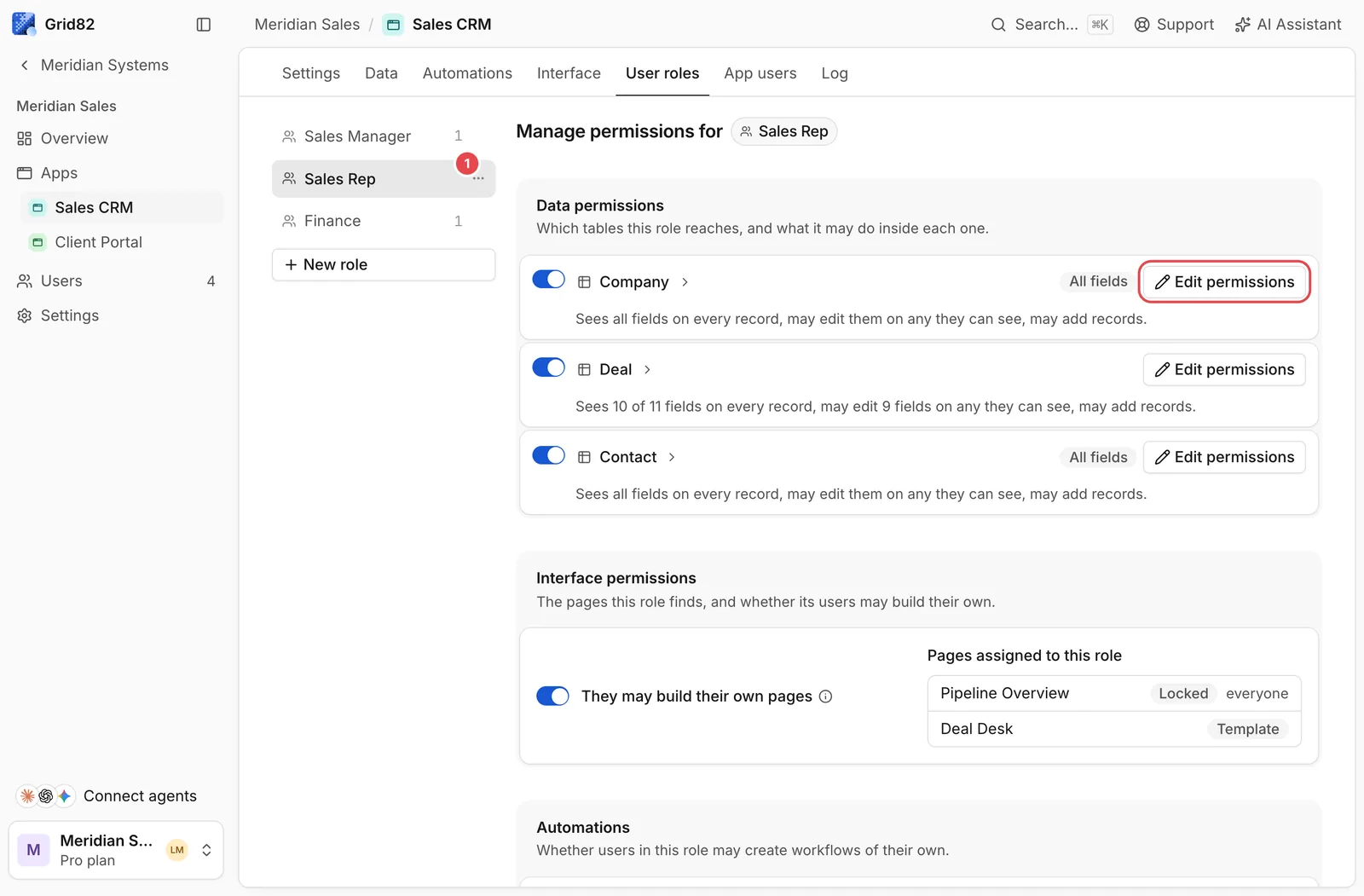
In the Studio, select any role on the left (1) such as Sales Rep, then click Edit permissions (highlighted in red) to configure what that role can access.
Four independent layers
Permissions are configured per role across four narrowing levels:
- Table access (
access):"granted"or"none". If"none", the table is absent from the user’s UI, API schema, OpenAPI document, and MCP tools. - Record filter (
rows): Optional filter tree restricting which records are visible (for example,Owner is @me). Without a filter, the role sees every record in the table. - Field access (
fields): Either"all"(withedit: "all" | "none"), which automatically includes future columns added to the table, or"selected", which explicitly lists allowed fields (seeandeditbooleans per field). Use"selected"whenever a role must not automatically see newly added columns. - Action verbs (
create,update,delete): Booleancreate, plus"none","all", or a narrowing filter forupdateanddelete.
A role can also hold wildcard full rights ("*") inside that app if it represents internal operators who need unrestricted schema visibility.
Why roles only add access (union rule)
A user can hold multiple roles simultaneously. Grid82 computes their effective access as the union of their roles, evaluated per table, per record predicate, per field, and per operation:
- There is no explicit deny and no priority order between roles. Adding a role can only grant equal or more access.
- Seeing is always the gate: a user cannot edit a record they cannot read, and cannot write a field they cannot see.
- Record-conditioned fields. If a user can read a sensitive field (like
Margin) only on a subset of records (Stage is Won), filtering or sorting by that field is blocked (403) so nobody can infer values on records outside their scope.
Simulating permissions before publishing
When combining multiple roles or editing complex record conditions, open Users, choose See their permissions, or run rules.simulate in the Builder API or MCP:
grid82 rules simulate app_5mg8rw2kx4tn \
  --roles rol_salesrep123 \
  --table-id tbl_8fj3kq2wmv5d \
  --op read
rules.simulate runs the exact production permission compiler without altering any grants and explains which role contributed each capability.