Field types
All 28 field types in Grid82, their storage rules, configuration options, character limits, and wire formats.
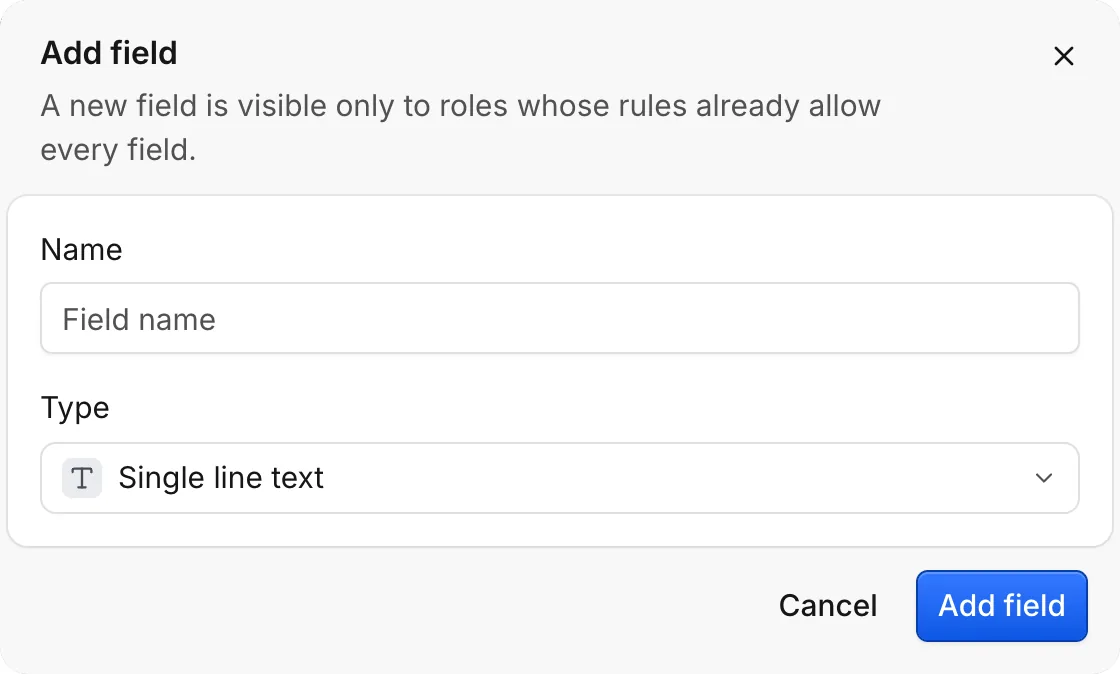
A field’s type defines what values are valid, how the grid renders and formats cells, and how the query engine stores and filters records. Clicking + in the Studio header opens the field configuration dialog to pick a type and its settings.
Text types
| Type | Best for | Max size | Notes |
|---|---|---|---|
text | Titles, short labels, IDs | 500 chars | Default single-line string |
longtext | Notes, descriptions, transcripts | 125,000 chars | Stored raw without formatting changes |
email | Contact addresses | 254 chars | Accepts supplied text; flags suspect formats in API warnings |
url | Website links | 2,048 chars | Accepts supplied text; flags suspect formats in API warnings |
phone | Telephone numbers | 32 chars | Optional default country setting |
json | Structured payloads from webhooks or tools | 125,000 chars | Must parse as valid JSON; cannot be filtered or sorted by nested keys |
Number types
| Type | Best for | Settings | Wire rule |
|---|---|---|---|
number | Counts, quantities | precision, thousands, negatives, prefix, suffix | Stored as a finite number |
currency | Money, deal values | code (ISO 4217), position, precision, negatives | Stored as decimal value (48000 for €48,000) |
percent | Probabilities, discounts | precision | Stored as a fraction: 0.15 represents 15% |
rating | Priority, score | max (3, 5, or 10), icon, tint | Integer from 0 to max |
duration | Time spent, SLAs | format | Stored in milliseconds: 1 hour is 3600000 |
Choices, booleans, and people
selectandmultiselect. Options are{ id, label, tint }. Cells store option IDs (opt_...), never display labels, so renaming an option’s label updates every record immediately. You can pass up to 50 selected options in amultiselectcell.- Named tints. Options, ratings, checkboxes, and buttons use Grid82’s 11 named tints:
blue,green,amber,yellow,orange,red,pink,violet,indigo,gray, andteal. checkbox. Stores a boolean (true/false) with optionaliconandtint. Writes also accept1/0,yes/no, oron/off.user. Points to one member (single: true) or up to 50 members (single: false) from the app, optionally restricted to specificroles. Reads back as[{ id, label }]; accepts user ID, email, or exact name on write.
Dates and attachments
date. Stores ISO 8601 timestamps in UTC.config.timecontrols whether the field stores a time component (datetime) or calendar date;timeZone,display, andclockaffect presentation only.attachment. Stores up to one (single: true) or multiple files uploaded to managed file storage (acceptfilters allowed extensions like.pdf). Reading a record returns short-lived signedurlproperties alongside{ id, name, size, mime, key }. Never cache the signed URL permanently; fetch records fresh when downloading bytes.
Automatic stamps
The engine populates six read-only system types automatically (writes to them are ignored):
recordId (rec_...), autonumber (sequential integer per record), createdTime, createdBy, modifiedTime, and modifiedBy.
modifiedTime and modifiedBy support config.watch (an array of field IDs) so the stamp updates only when specific columns change.
Relational, computed, and action types
link,lookup, androllup. Connect tables and aggregate fields across links. See Formulas and relations.formula. Evaluates expressions over fields in the same record (up to 2,000 chars, 10 nesting levels).button. Computes a dynamic URL (config.urlformula) rendered as an actionable button (label,tint,variant) with no stored value.