Grid82
grid82.comJoin the waitlist
BuildAudit and analytics

Audit log and analytics

Inspect per-changeset audit history in each app, revert mistakes cleanly, and monitor usage trends across your organisation.

Grid82 tracks both organisation-wide usage metrics in the Studio and record-by-record audit trails inside every app.

Organisation activity analytics

Open Activity in the Studio navigation to track activity across every suite and app over time: rows written, machine calls (API, CLI, and MCP), active apps, and workflow step consumption.
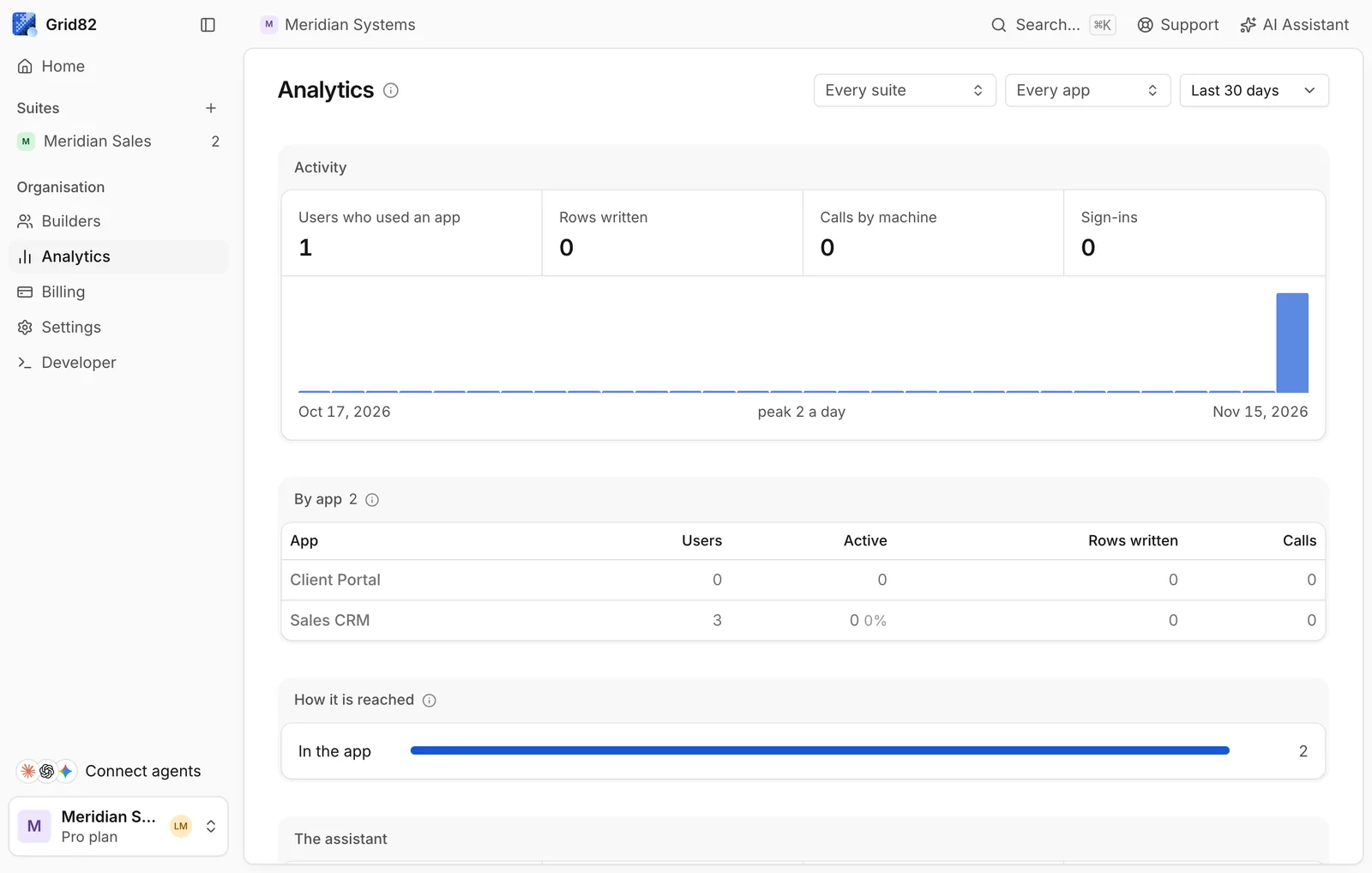
Studio Activity analytics dashboard showing rows written and calls by machine charts

Studio Activity dashboard showing rows written, machine calls, and 30-day organisation trends

Retention depends on your plan:

PlanDetailed activity events keptDaily aggregate history kept
Free2 days30 days
Starter7 days365 days
Pro / Custom90 days730 days

App audit log and changeset undo

Every record create, update, delete, SQL bulk write, or workflow mutation inside an app writes a changeset entry to the app’s Log page in the Studio.
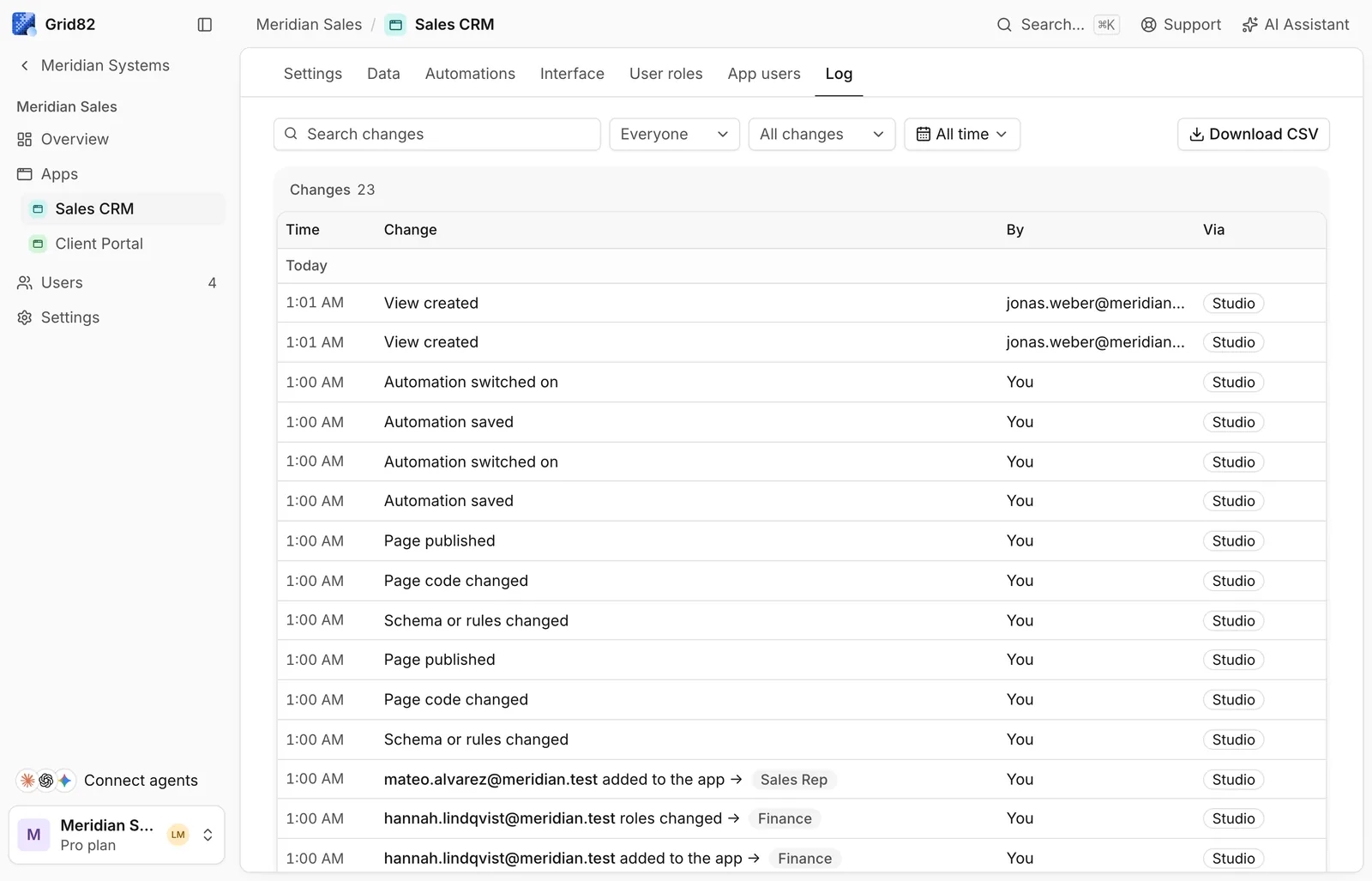
Studio app audit log showing actor, surface, action, and timestamp columns

Per-app audit log recording who made each write, from which surface, and which fields changed
  • Full attribution. Each log entry captures the acting user (or workflow name), the origin surface (grid, api, cli, mcp, assistant, workflow), timestamp, and exact before/after field values.
  • One-click revert. A batch import of 500 records or a bulk sql.execute update is stored as a single changeset, so reverting it rolls back the entire batch in one transaction.
  • Trash recovery. Dropped tables, fields, and apps remain recoverable from Trash for 30 days with their original IDs and links intact.

Use these docs with your AI tools

An AI agent can read this documentation directly. You do not need an account or an API key. Everything here is public and read-only.

Query these docs via MCP

Recommended

Add this server to Claude, Claude Code, Cursor, Mistral, or any tool that supports MCP. Your agent can then search Grid82 documentation and read it in full, instead of answering from memory.

https://grid82.com/docs/mcp
  • searchFind the passages that answer a question.
  • fetchRead one page in full, as Markdown.
  • list_pagesSee every page in this documentation.

Query these docs over HTTP

The same tools also work as plain web requests. Use this for scripts, or for any tool that does not support MCP. There is one endpoint per tool. Arguments go in the query string, and the answer comes back as JSON.

https://grid82.com/docs/api/docs/search?query=custom+domain

Read the OpenAPI description. It is built from the same definitions as the tools, so it always matches what the endpoints do.

Read these docs as Markdown

Add .md to any page URL to get its Markdown source. You can also send the headerAccept: text/markdown to the page URL itself.

To read the whole documentation in one file, open llms-full.txt. For a short index of every page, open llms.txt.