Building workflows
Author durable TypeScript automations in the Studio workbench, inspect the live diagram, test runs safely, and monitor execution traces.
Open Automations in an app’s Studio sidebar to write workflows, inspect the auto-generated execution diagram, run tests, and trace completed or waiting runs.
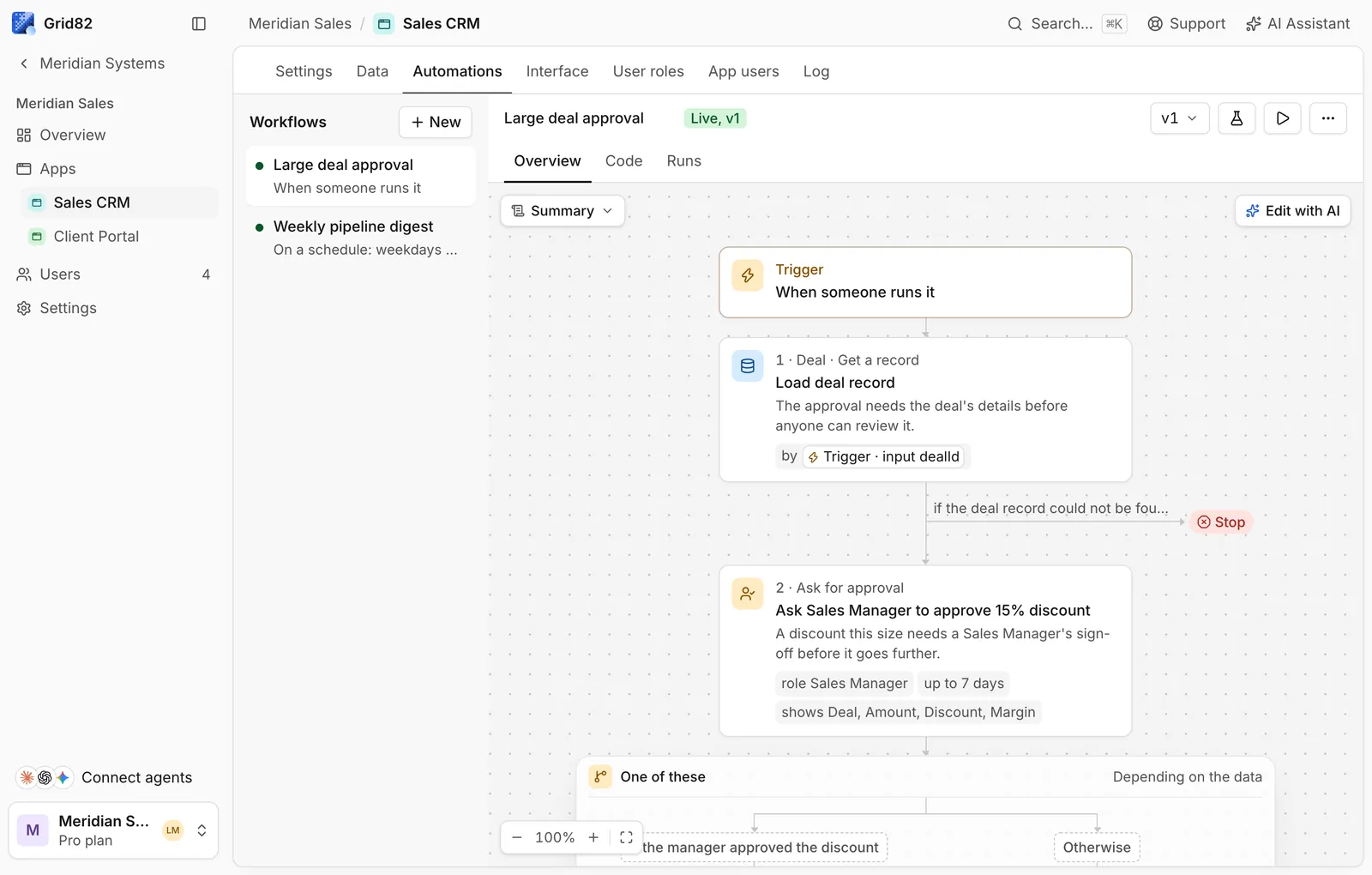
Anatomy of an app workflow
Every workflow calls workflow(config, handler) from "grid82:workflow". Section comments starting with // ## become labeled headings in the visual diagram, and every SDK step starts with a unique human-readable label:
import { workflow, record } from "grid82:workflow";

export default workflow(
  {
    name: "Large deal approval",
    trigger: record.updated("Sales CRM.Deals", {
      fields: ["Stage"],
      when: { Stage: "Proposal" },
    }),
    apps: ["Sales CRM"],
  },
  async ({ trigger, db, approval }) => {
    // ## Check threshold
    if ((trigger.record["Net value"] ?? 0) < 50000) return;

    // ## Ask Sales Manager
    const decision = await approval.ask("Ask Sales Manager to approve discount", {
      role: "Sales Manager",
      question: "Approve proposal terms on this enterprise deal?",
      show: {
        Deal: trigger.record.Name,
        "Net value": trigger.record["Net value"],
        Discount: trigger.record.Discount,
      },
    });

    if (decision.approved) {
      await db["Sales CRM"].Deals.update("Mark deal approved", trigger.record.id, {
        Stage: "Negotiation",
      });
    }
  },
);
Five rules the workflow compiler enforces
Because paused workflows replay from the top when waking from a sleep or approval.ask, the compiler rejects nondeterministic code before saving:
- Every SDK call needs a unique literal label and its own
await: Pass parallel calls explicitly throughPromise.all([...]). - Use
for...ofover a step result: Classicforandwhileloops are disallowed so step counts stay inspectable. - No unguarded clocks or randomness: Call
Date.now(),new Date(), orMath.random()insidestep.do(...), or readtrigger.firedAt. - Destructure only what you use: If
handlerlists{ db, step }withouttrigger, accessingtriggerfails compilation. - List secrets safely: Secrets (
"secret:NAME") are valid only as the complete URL argument tohttp.getorhttp.post, never interpolated inside headers or JSON bodies.
Read the Workflow SDK reference for the complete db, ai, step, approval, and http API.