Agents and MCP overview
Grid82 MCP endpoints for suites, Studio, and public docs, OAuth app selection, and the Studio Developer screen.
Grid82 implements the Model Context Protocol (MCP) over Streamable HTTP with OAuth 2.1 authentication. Every MCP connection acts strictly as the user who approved it and inherits their compiled permissions.
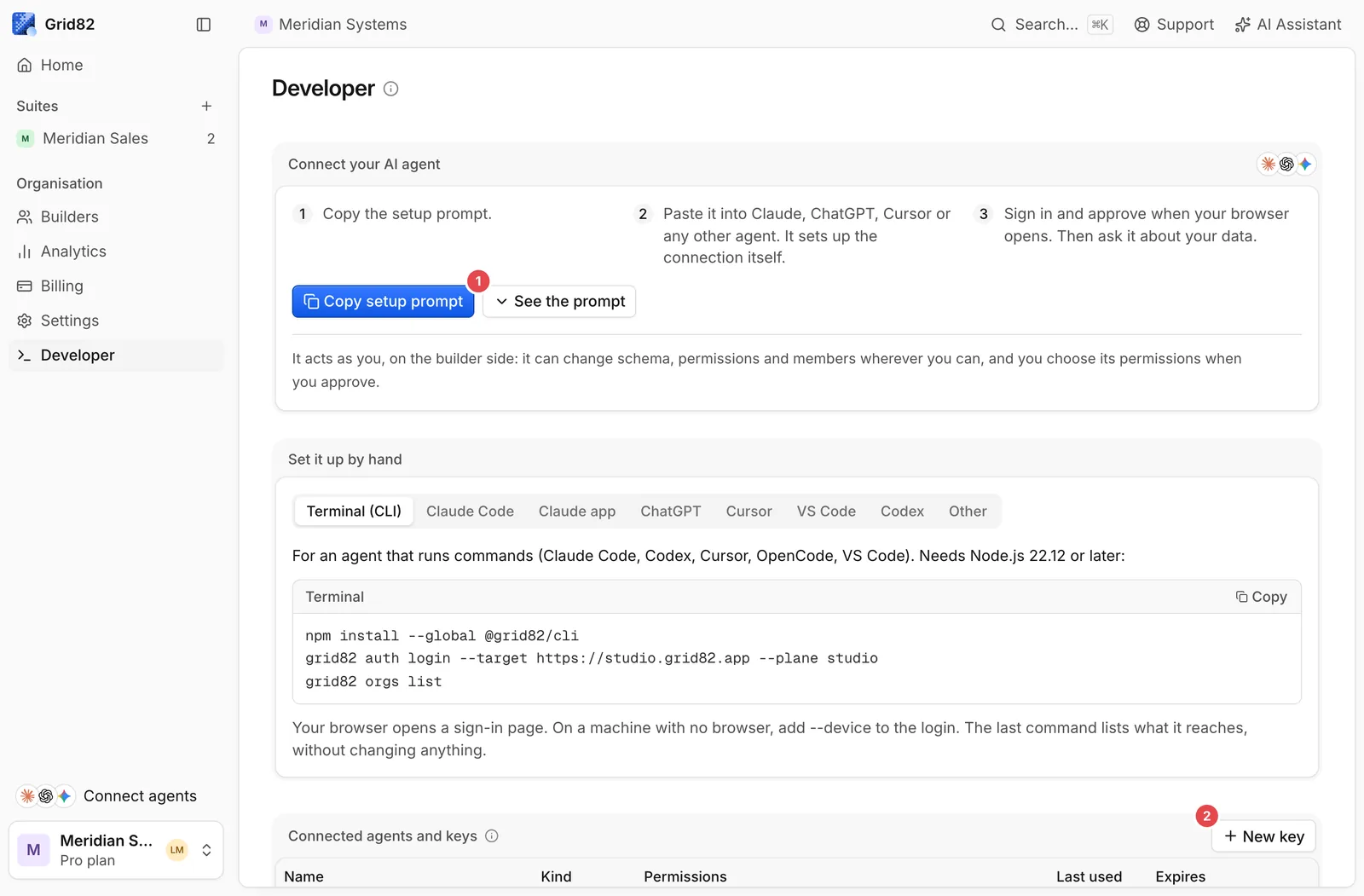
- Copy setup prompt: Hands Claude, ChatGPT, Cursor, or VS Code a self-configuring OAuth prompt (
https://studio.grid82.app/agent-setup.mdfor Studio, orhttps://{suite}.grid82.app/agent-setup.mdfor a suite). - New key: Create scoped
g82_API keys for scripts, CI pipelines, and MCP clients that authenticate by bearer token.
MCP endpoints
| Server URL | What it reaches | Use it for |
|---|---|---|
https://{suite}.grid82.app/mcp | All apps of the suite you select during OAuth consent | End-user agents (Claude, ChatGPT, Cursor, VS Code) |
https://{suite}.grid82.app/mcp/code | Code Mode (search + execute) scoped to the selected app | Agents running multi-step TypeScript scripts against an app |
https://studio.grid82.app/mcp | Studio tools: apps, schemas, permission rules, users, pages, workflows | Builder agents creating or updating apps in one organisation |
https://studio.grid82.app/mcp/code | Code Mode (search + execute) over the Builder API | Builder agents scripting bulk schema or record operations |
https://grid82.com/docs/mcp | Public documentation (search, fetch, list_pages) | Giving any coding or research agent live Grid82 docs |
Custom suite domains serve the same /mcp and /mcp/code paths directly on your domain.
One MCP server per suite
A suite exposes a single /mcp server for every app inside that workspace, so adding new apps never forces users to reconfigure their client:
apps_listreturns every app this OAuth grant can open, together with itsappId.appIdis accepted on every app tool (optional if the grant covers a single app, required when multiple apps are selected).- Masked tool schemas.
tableIdenumerations and record properties reflect only the tables and fields the signed-in caller may read. Tables outside the user’s roles are omitted completely. - Studio skills. Calling
skills_listandskills_geton the Studio MCP server gives an agent the up-to-date manuals for building schemas, permissions, Interface pages, and workflows.
Read Set up your agent to connect your client in one prompt.