Building Interface pages
Write, preview, type-check, and publish custom React Interface pages in the Studio workbench using the Grid82 Page SDK and UI blocks.
In the Studio, open Interface in an app’s sidebar to build, preview, and publish pages using the visual workbench or the built-in Studio assistant.
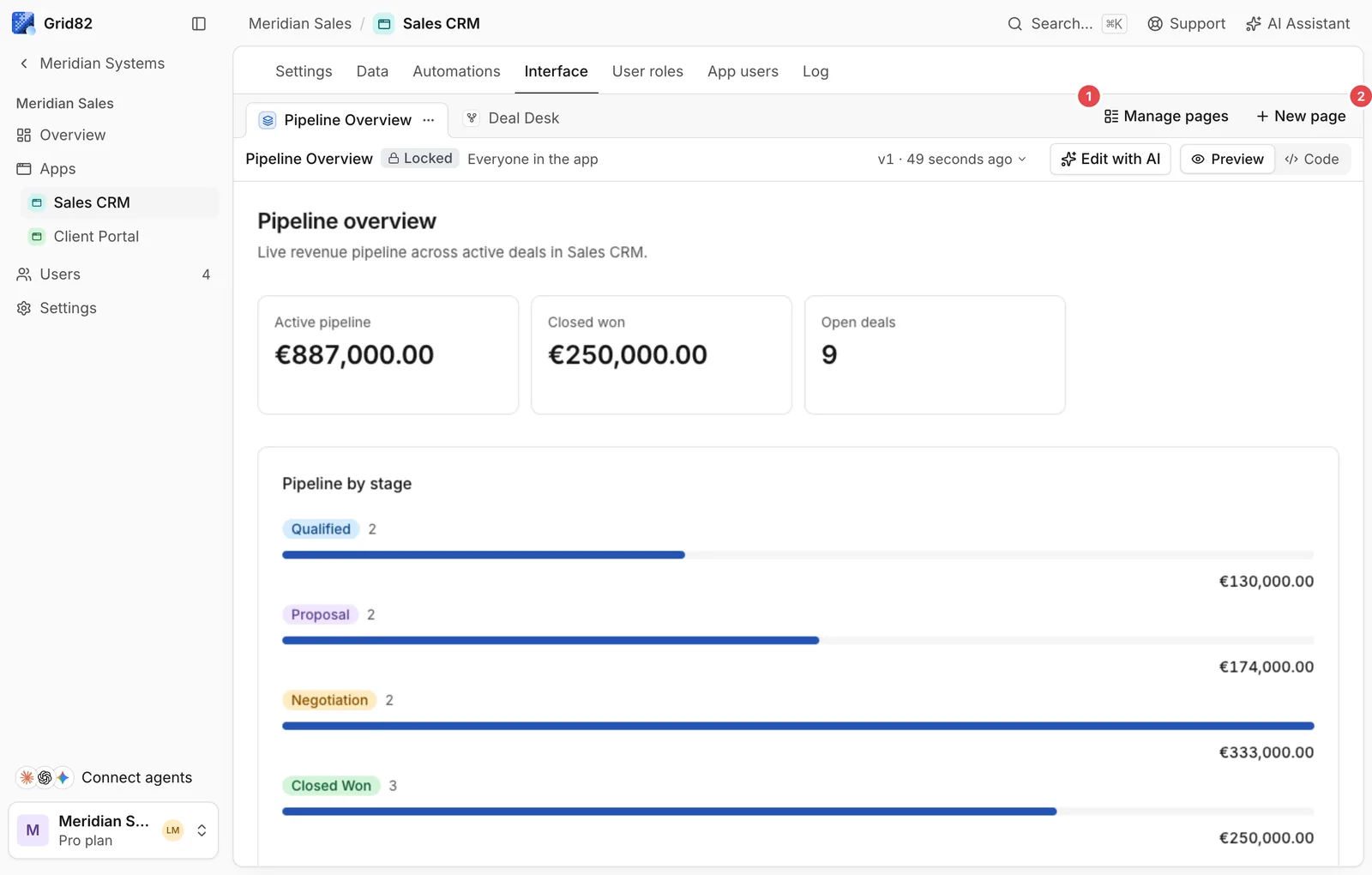
- Manage pages: Reorder pages, inspect version history, adjust
visibleTorole visibility, switch between Locked and Template, or roll back to an earlier build. - New page: Create a new React component file in the app’s interface tree.
Structure of a page file
Every page is one .tsx file exporting a default Page component, limited to six approved imports so pages render quickly, stay theme-consistent, and compile reliably:
import * as React from "react";
import { useTable, useView, useQuery, actions, fmt } from "@grid82/sdk";
import { Button, Card, CardHeader, CardTitle, CardContent, Badge } from "@grid82/ui";
import { PageBody, PageHeader, Toolbar, DataTable, Kanban, AddRecord, StatRow, Stat } from "@grid82/blocks";
import { Plus } from "lucide-react";
When a page needs charts or spreadsheet parsing, import them only when needed from @grid82/charts (BarChart, LineChart, AreaChart, PieChart) or @grid82/sheets (ImportDialog, readSheet, coerceRows).
Authoring workflow
- Key on field IDs, never display labels: Read your schema (
apps.getor the Studio inspector) to get exacttbl_...andfld_...IDs. Display labels can change without breaking pages keyed on IDs. - Handle loading, error, and empty states: A block given only
tableIdreads its rows and draws all three itself. When the page owns the read, passrows,isLoadinganderrorinto the block (useViewreturns them asbind), or handleisLoading->error-> empty data in that order. - Compile and check: Every save type-checks your code against the Page SDK. Any disallowed import, missing hook field, or unknown Tailwind utility class fails before publishing.
- Publish: Preview the built version in the right pane of the workbench, then click Publish to push that immutable version to Runtime users.
Read the complete Page SDK reference and Page UI and blocks guide for every hook, component, and design constraint.