Records, comments, and history
Open any record in the record sheet to edit fields side by side, collaborate with threaded comments and mentions, and audit field history.
Expanding any record opens the Record sheet, a focused side drawer showing all fields you can read on that record alongside two collaborative panels: Comments and History.
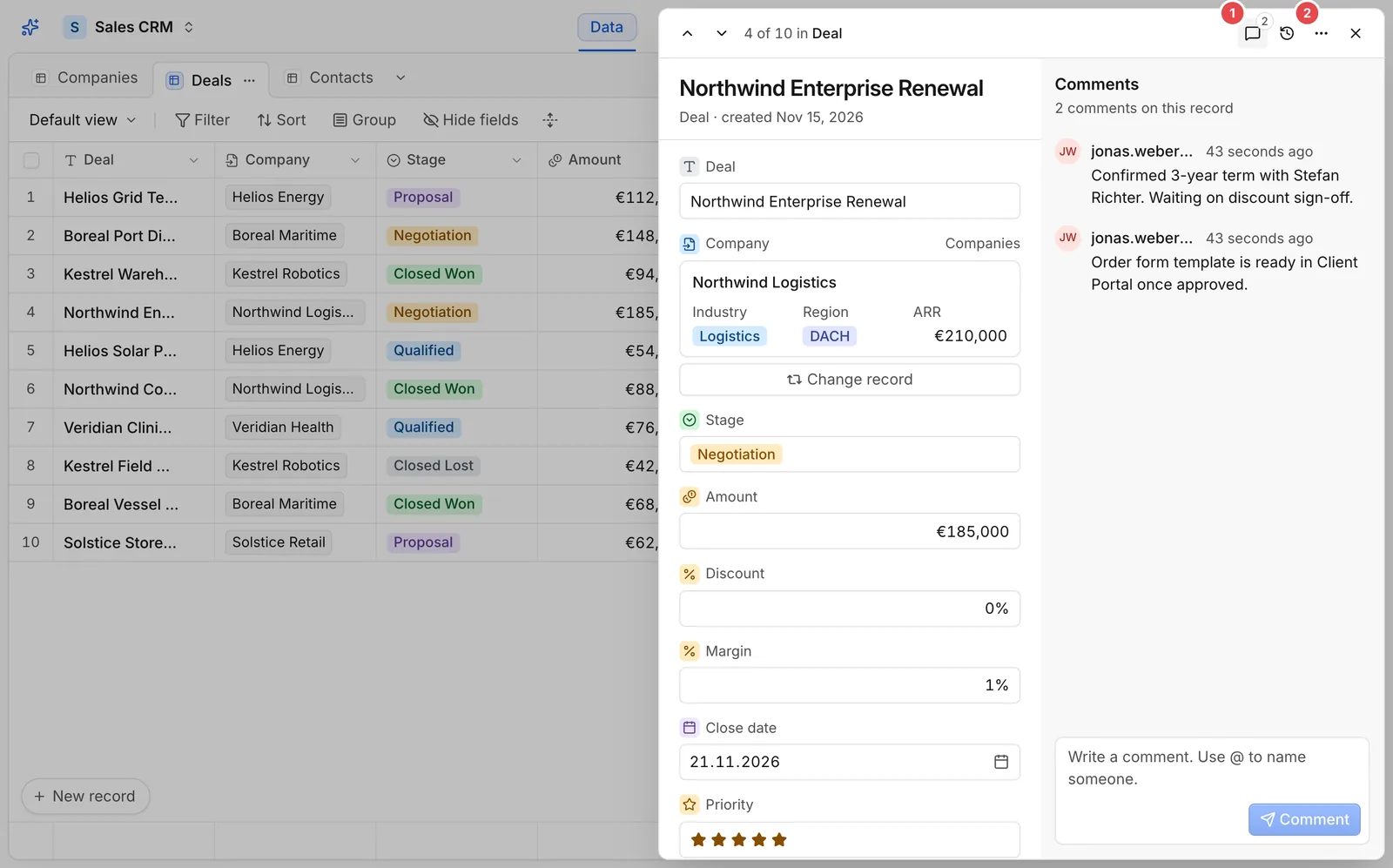
- Comments: Toggle the threaded comment stream attached to this record.
- History: Toggle the field-by-field audit trail showing who changed what and when.
Threaded comments and mentions
Use record comments to keep context on the deal, invoice, or ticket itself rather than losing decisions in external chat threads:
- Type
@to mention any colleague who is a member of the app (comments.mentionable). - Comments travel with the record: if you delete a record and later revert the deletion from the change log, its comment thread returns intact.
- Edit or delete your own comments inline inside the thread (
comments.update,comments.delete).
Reading field history
Opening History (2) shows a chronological feed of changes made to this record:
- Each entry names the actor (a user, an API key, an agent, or a workflow), the origin surface, and the exact before/after values.
- Permission masking applies to history too: if your role hides a sensitive field, changes to that column never appear in your history stream.
- Record creation, edits, comments, and deletes appear cleanly in sequence so anyone picking up a record can see why its status moved.