Grid82
grid82.comJoin the waitlist
UseMy pages

Interface pages and personal pages

Open published Interface pages in the Runtime and, when your role allows, adapt Template pages or ask the assistant to build personal views.

Open the Interface tab in the Runtime shell to work with custom React screens published for your roles. Every Interface page reads live records through your permissions: two team members opening the same dashboard see only the records and fields their own roles allow.
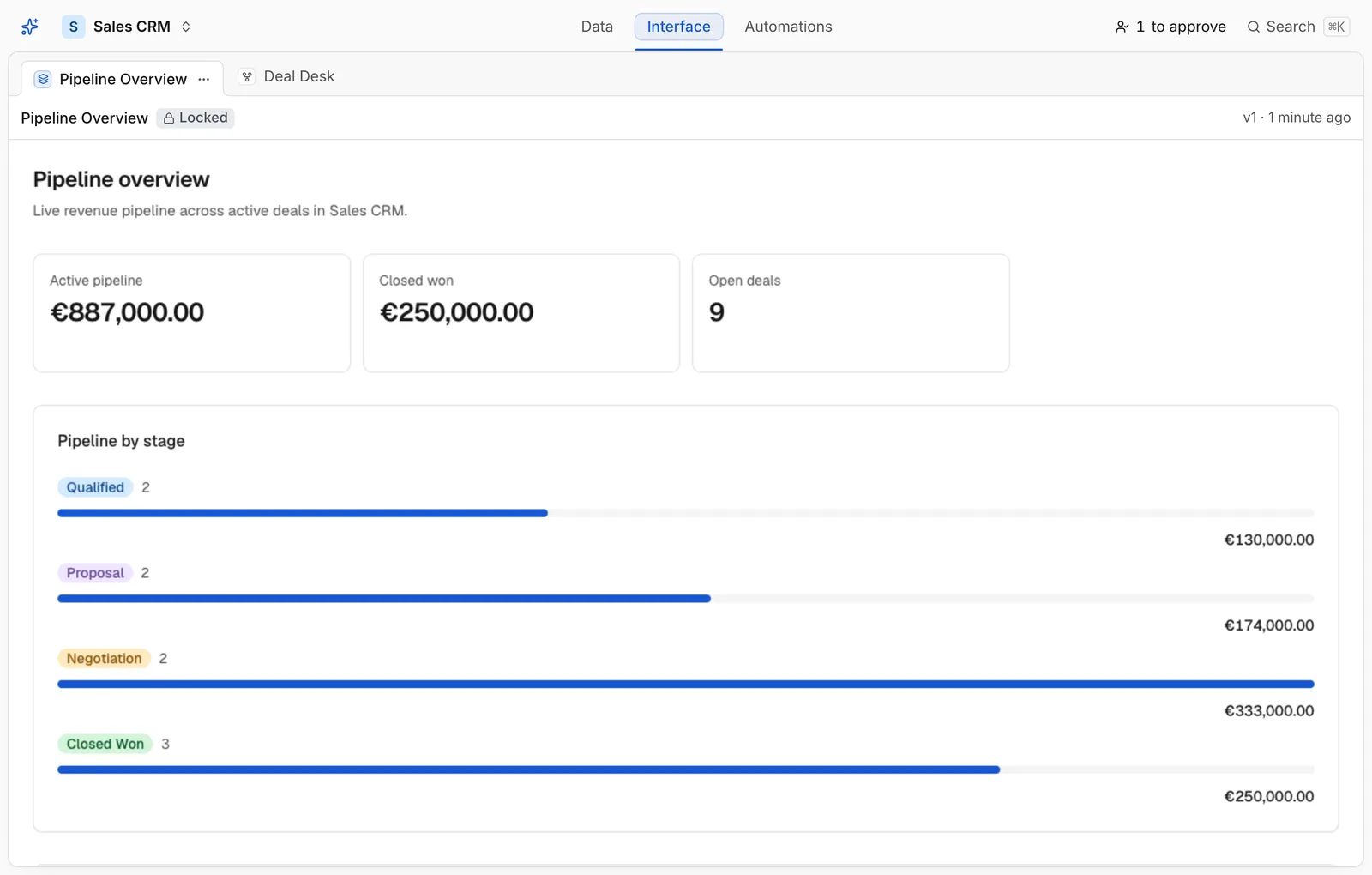
Runtime Interface page rendering Pipeline Overview KPIs, stage progress bars, and Top deals table

A published Pipeline Overview Interface page running live inside the Runtime

Locked pages vs Templates

Depending on how a builder configured the page in the Studio:

  • Locked pages run directly as built by your organisation (standard dashboards, Kanban pipelines, approval views, client portals).
  • Template pages appear with a Template badge. If your role has page-building permission, you can fork a Template into a personal copy (Adapt this page) to customize columns, filters, or KPIs without affecting anyone else.

Creating and editing personal pages

When your role permits personal pages, you can manage your own pages alongside shared ones:

  1. Ask the in-app assistant to create a page or adapt an existing Template (my.pages.fork / my.pages.create).
  2. Every save compiles your page against @grid82/sdk and @grid82/ui before storing a version, ensuring no runtime errors or mismatched hook names.
  3. Publish a built version (my.pages.publish) to show it immediately inside your Interface tab.

Use these docs with your AI tools

An AI agent can read this documentation directly. You do not need an account or an API key. Everything here is public and read-only.

Query these docs via MCP

Recommended

Add this server to Claude, Claude Code, Cursor, Mistral, or any tool that supports MCP. Your agent can then search Grid82 documentation and read it in full, instead of answering from memory.

https://grid82.com/docs/mcp
  • searchFind the passages that answer a question.
  • fetchRead one page in full, as Markdown.
  • list_pagesSee every page in this documentation.

Query these docs over HTTP

The same tools also work as plain web requests. Use this for scripts, or for any tool that does not support MCP. There is one endpoint per tool. Arguments go in the query string, and the answer comes back as JSON.

https://grid82.com/docs/api/docs/search?query=custom+domain

Read the OpenAPI description. It is built from the same definitions as the tools, so it always matches what the endpoints do.

Read these docs as Markdown

Add .md to any page URL to get its Markdown source. You can also send the headerAccept: text/markdown to the page URL itself.

To read the whole documentation in one file, open llms-full.txt. For a short index of every page, open llms.txt.